M3U vs Xtream Codes: Which IPTV Login Method Should You Use in 2026?
Last updated: · 3 min read · Playlist IPTV

TL;DR: Xtream Codes login (server URL + username + password) is the better choice for most people — it loads channels faster and brings the TV guide (EPG) automatically. M3U playlist (a single long URL) works on every player including VLC and Kodi, but you usually have to add the EPG yourself. Our subscriptions include both, so pick whichever your app supports.
What is an M3U playlist?#
An M3U playlist is a single URL (or file) that contains your full channel list. You paste it into your player once and it loads everything. It is the universal format — virtually every IPTV app supports it, from VLC on a laptop to Kodi to Smart TV apps.
The catch: an M3U URL usually carries no TV guide (EPG). You have to add a separate EPG URL in your app's settings, and not every app makes that easy.
What is Xtream Codes login?#
Xtream Codes is a login method: instead of one long URL, you enter three short fields in your app:
- Server URL (also called Host or Portal, e.g.
http://server.example.com:8080) - Username
- Password
Your player then pulls channels, movies, series and the EPG automatically through one API. Setup is cleaner and channel lists refresh faster.
M3U vs Xtream Codes — side by side#
- Ease of setup: Xtream Codes wins — three short fields vs one very long URL that is easy to mistype.
- TV guide (EPG): Xtream Codes loads it automatically. With M3U you add it manually.
- Loading speed: Xtream Codes is usually faster with large channel lists.
- Compatibility: M3U wins — it works on literally every player. Some apps (VLC, Kodi's PVR client, Perfect Player) don't support Xtream Codes at all.
- Movies & series: Both give you VOD, but Xtream Codes organizes it better in most apps.
Rule of thumb: if your app offers "Xtream Codes login", use it. If it only accepts a playlist URL or file (VLC, Kodi), use M3U.
What you need before you start#
Whichever method you pick, you need an active IPTV subscription. After you order, you receive:
- Your M3U playlist URL
- Your Xtream Codes details (server URL, username, password)
- Your EPG URL (for M3U setups)
No subscription yet? [See our plans and prices](/).
Frequently Asked Questions
Is Xtream Codes the same as M3U?
No. M3U is a playlist file/URL with your channels. Xtream Codes is a login API (username + password + server) that delivers channels, VOD and EPG together. Many providers give you both from the same subscription.
Which one is faster?
Xtream Codes, in most apps. It loads categories on demand instead of parsing one giant playlist file.
Can I switch from M3U to Xtream Codes later?
Yes. They point to the same subscription — just remove the playlist in your app and add it again using Xtream Codes login with the details from your welcome email.
Do I need the EPG URL if I use Xtream Codes?
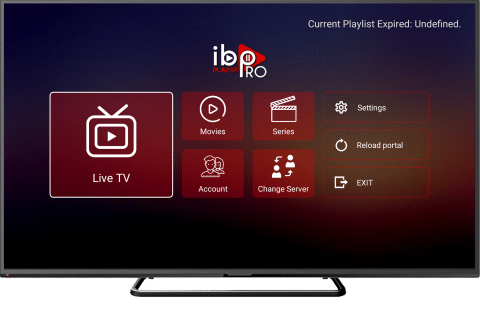
No. The TV guide comes automatically with Xtream Codes login in supported apps like TiviMate, IBO Player and XCIPTV.
My app only accepts M3U. Is that a problem?
Not at all. Paste the M3U URL, then add the EPG URL from your welcome email in the app's EPG settings. You get the same channels. --- Ready to watch? [Get your IPTV subscription with instant activation](/).
Related guides
Ready to watch? Get instant activation.
M3U playlist + Xtream Codes login + EPG — delivered by email in minutes. Pay with Bitcoin.
Buy IPTV with Bitcoin