IBO Player Setup Guide 2026: Add M3U Playlist & Xtream Codes (Official Site)
Last updated: · 3 min read · Playlist IPTV
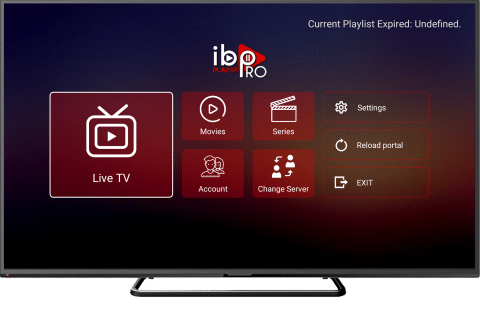
TL;DR: Install IBO Player, note the Device ID (MAC) and Device Key shown on screen, then go to the official site iboplayer.pro → add your M3U playlist URL or Xtream Codes details → restart the app. You get a 7-day free trial; activation after that is a one-time payment per device.
Warning: IBO Player is only a player — it includes no channels. You need an IPTV subscription on top of the app.
The official site — and the fakes#
The only official website is iboplayer.pro. Many lookalike sites (iboplayer.net, iboplayer.info, iboplayer-pro.com and similar) ask you to pay for "activation" — they are not the official service.
Golden rule: only use the website address that the IBO Player app itself shows on your TV screen. Never activate through a link you found in search results.
Free trial vs paid activation#
- Free: 7-day trial, full features.
- Paid: one-time activation fee per device (check the current price on the official site — it is a single payment, not a monthly fee).
This payment goes to the IBO Player app maker, not to your IPTV provider. Your channel subscription is separate.
What you need#
- Your M3U playlist URL or Xtream Codes details (server URL, username, password) — from your welcome email after ordering.
- The Device ID/MAC and Device Key displayed when you open IBO Player.
No subscription yet? [Get instant activation here](/).
Setup steps#
- Install IBO Player from your Smart TV's app store (Samsung, LG) or Google Play.
- Open the app and write down the Device ID (MAC address) and Device Key shown on screen.
- On your phone or computer, open the official site shown by the app (iboplayer.pro).
- Enter your Device ID and Device Key to manage your device.
- To add via M3U: choose Add Playlist and paste your M3U URL.
- To add via Xtream Codes: choose Add XC Playlist and enter Server URL + Username + Password.
- Save, then restart the IBO Player app on your TV — your channels load.
Frequently Asked Questions
Is IBO Player free?
It includes a 7-day free trial. After that, a one-time activation fee per device is required. The channel subscription itself is separate.
What is the official IBO Player website?
iboplayer.pro — and always double-check it matches the address shown inside the app on your TV.
Where do I find my Device ID and MAC?
Open IBO Player — they are displayed on the main screen every time the app starts, before any playlist is added.
M3U or XC playlist — which should I add?
XC (Xtream Codes) if your provider gave you login details — the guide loads automatically. M3U works everywhere too; both point to the same subscription. See [M3U vs Xtream Codes](/guides/m3u-vs-xtream-codes).
I paid on a different site and it doesn't work. What now?
Only activations made on the official site are valid. Contact your bank about the other charge, and activate properly via the site shown in the app. --- App ready, trial running? All that's missing is the subscription. [Buy IPTV with Bitcoin — M3U + Xtream included](/).
Related guides

Ready to watch? Get instant activation.
M3U playlist + Xtream Codes login + EPG — delivered by email in minutes. Pay with Bitcoin.
Buy IPTV with Bitcoin